Bring the options together.
Put product views, reference images, and colorways on the canvas so the team has a common starting point.
Bring product visuals and feedback into the same workspace. Compare options, discuss details, and move the design forward together.
Free Starter plan · No credit card required
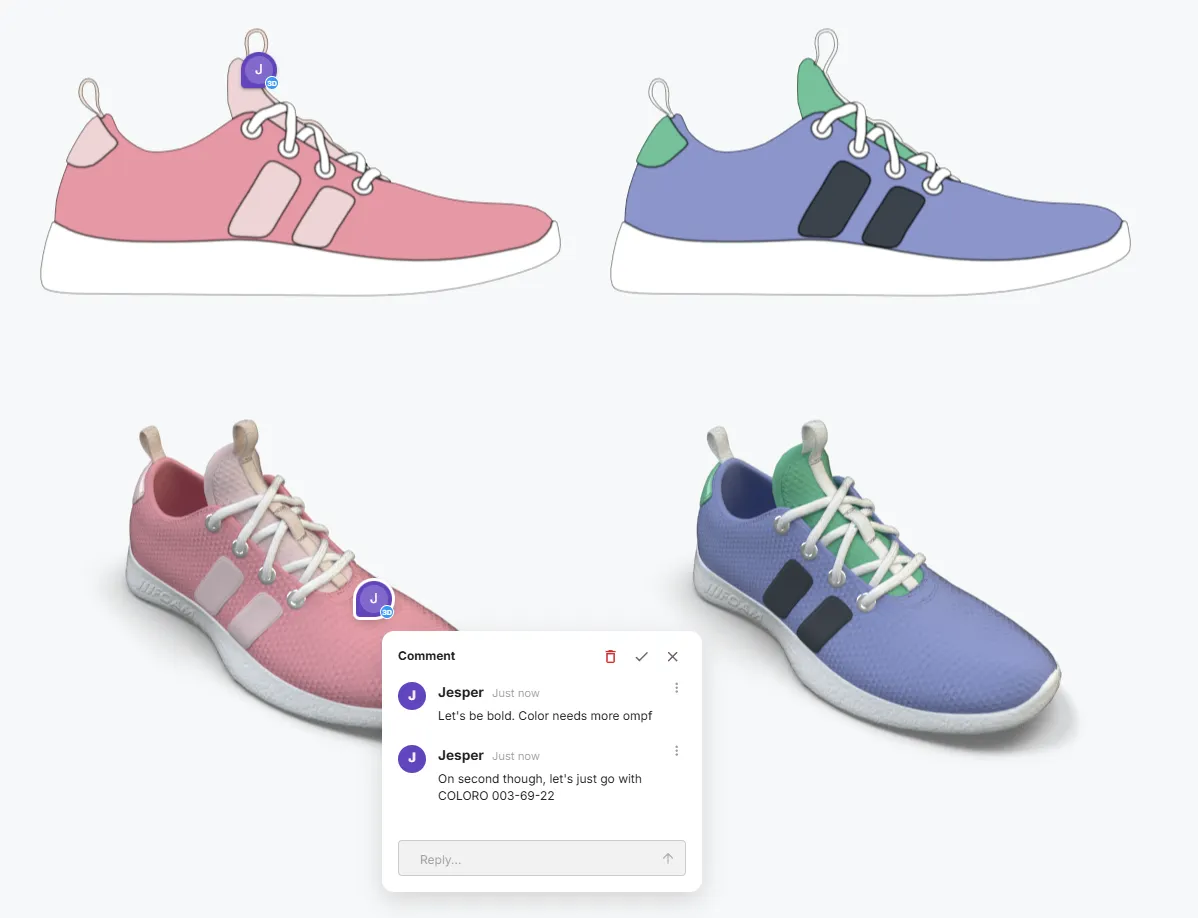
Put product views, reference images, and colorways on the canvas so the team has a common starting point.
Share the scene, compare views, and leave comments where the design is being discussed. Work together in real time when the team is available.
Make the next changes in the shared workspace. Use version history and review documents to keep the discussion connected to the design.
Use live review when you need a decision together, and comments when teammates need time to consider the options.
Figurement supports live co-editing and multi-user cursors in shared scenes. Set the appropriate access for the people who need to work on the design.
Read-only scenes and link sharing support review without giving everyone editing access. Check the sharing settings for the intended audience before sending your link.
No. Comments support asynchronous feedback, while live co-editing lets people work together at the same time.
Starter includes scene sharing. Team adds shared asset libraries, unlimited scenes, team management, and monthly AI and cloud-render credits. Check the pricing page for current entitlements.